The weekly plan in minutes, not hours
-
The sous chef drafts the week
From your recipes, your rules, and what your family liked last time.
-
You swap and approve
Change a night with one tap, then approve the rest.
-
The list is ready
Every ingredient for the week, minus what you have, sorted by aisle.
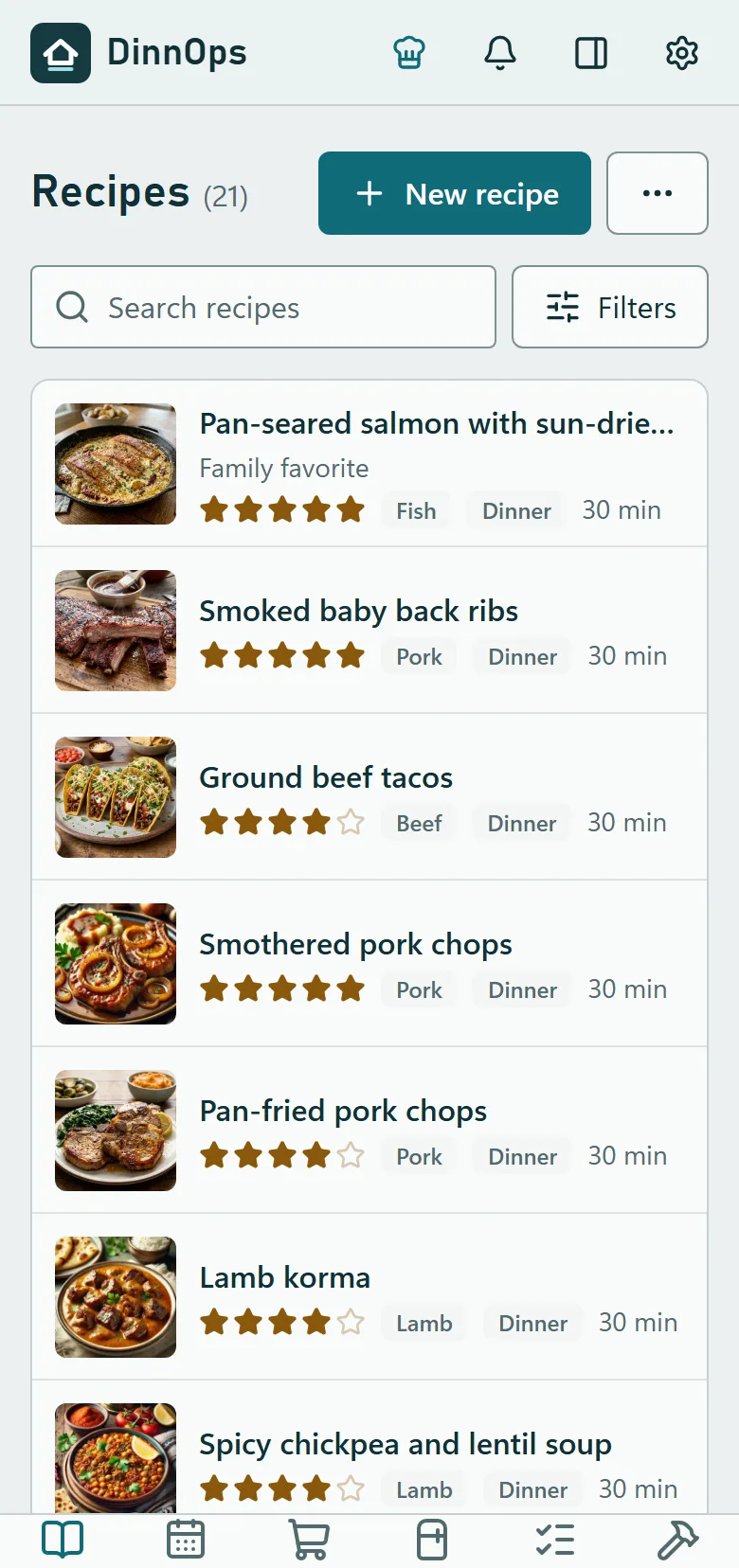
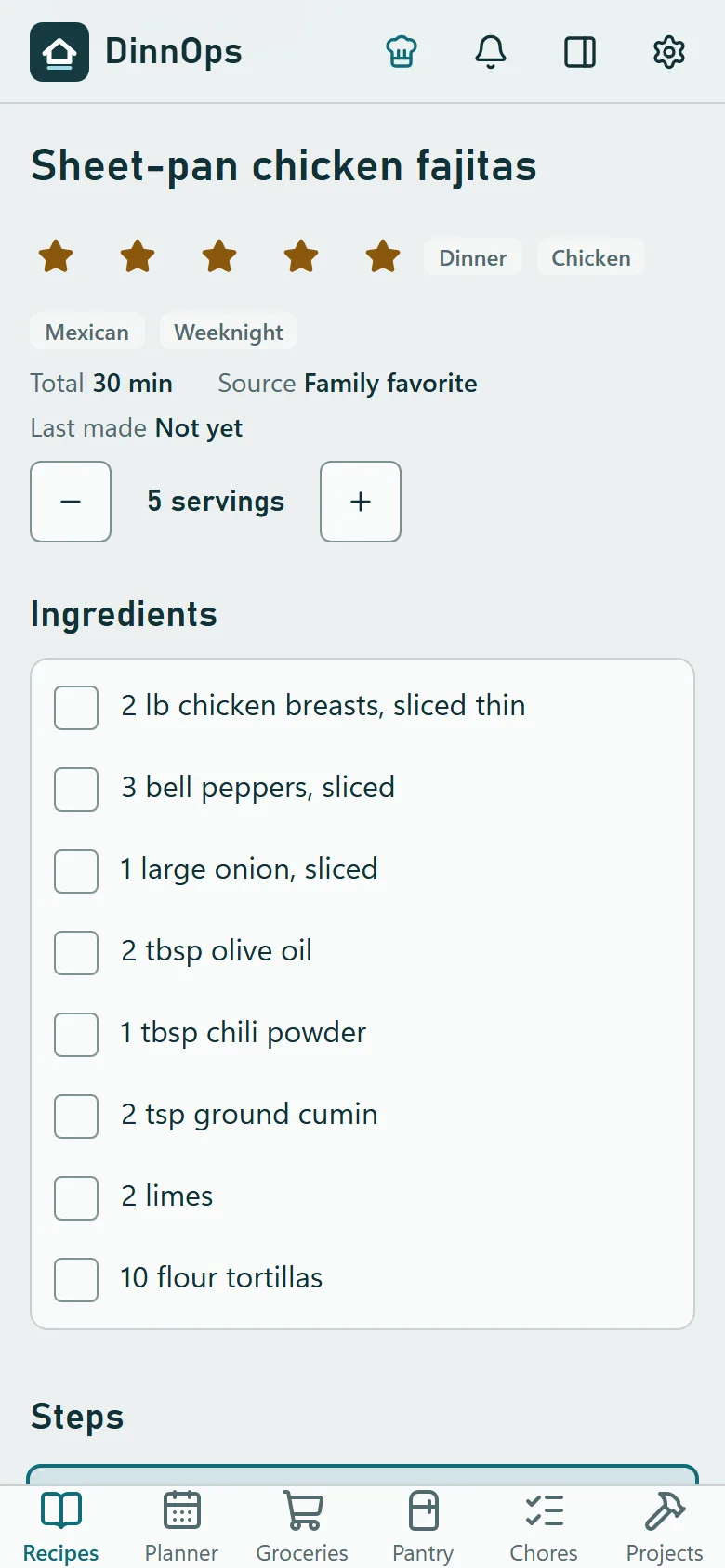
Recipes written for your family
No recipes yet? Start anyway. On day one the sous chef writes recipes for your first week's dinners, fitted to how your family eats, and writes more whenever you ask.
- Ask in your own words, like "a quick chicken dinner the kids will eat"
- Have it rework a favorite to fit your rules
- Give any recipe a picture with one tap
- See nutrition per serving, as an estimate
Already have recipes? Bring a Paprika library over in one import, or import recipe files in the open format (schema.org JSON) that you can ask your favorite AI tool to write. Export the same way, any time.
A week of dinners, planned by your rules
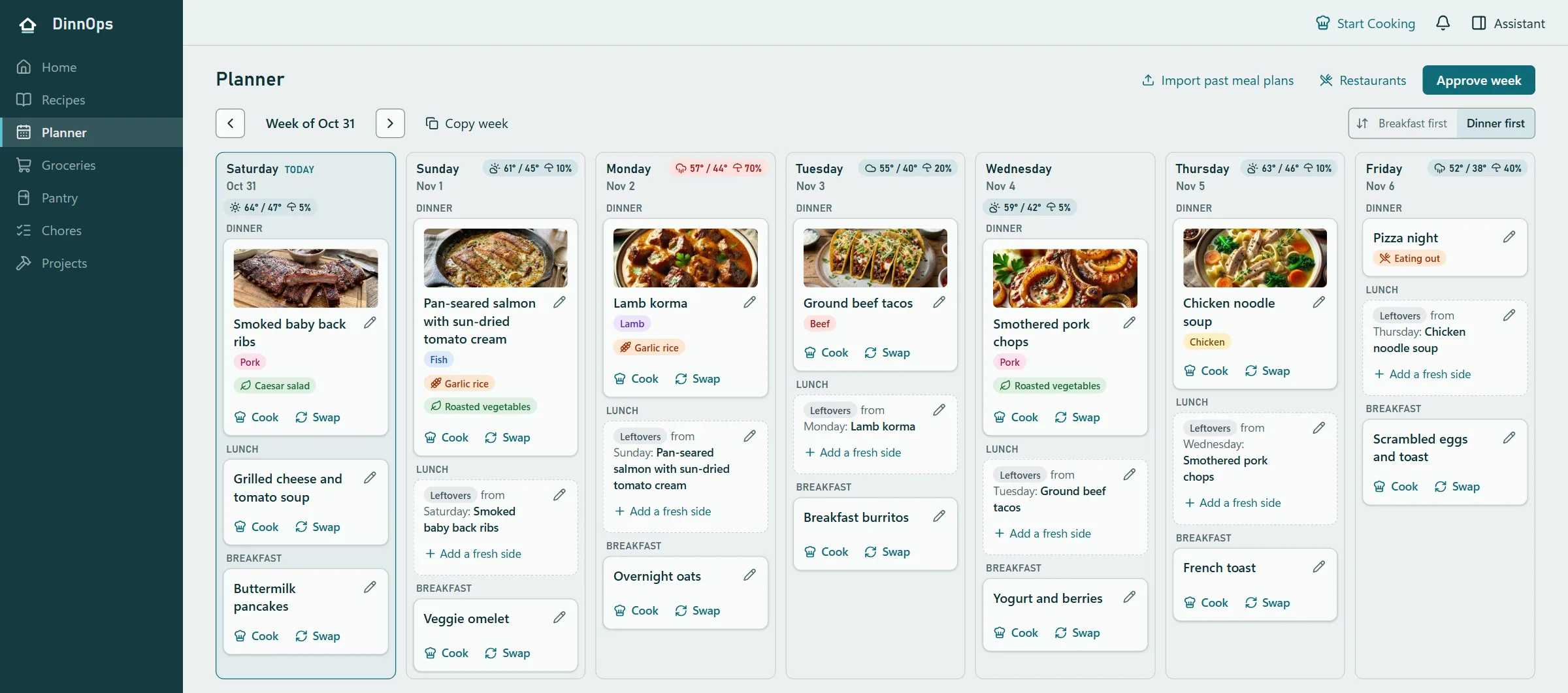
Tell it once: tacos on Tuesday, leftovers on Thursday, no mushrooms for the youngest. The sous chef drafts the week, checks every night against your rules, and you swap what you don't want and approve the rest.
- Last night's dinner can be tomorrow's lunch
- Plan breakfast and lunch too, or just dinner
- It learns what your family liked and what fell flat
Ask it like you'd ask a friend who cooks
Type or say what the week looks like. The sous chef knows your recipes, your rules, and what your family liked, and answers with a plan. Change any night with one more sentence.
- Dinners first, then lunches and breakfasts if you want them
- Writes new recipes that fit how your family eats
- Talk instead of typing, right from the kitchen
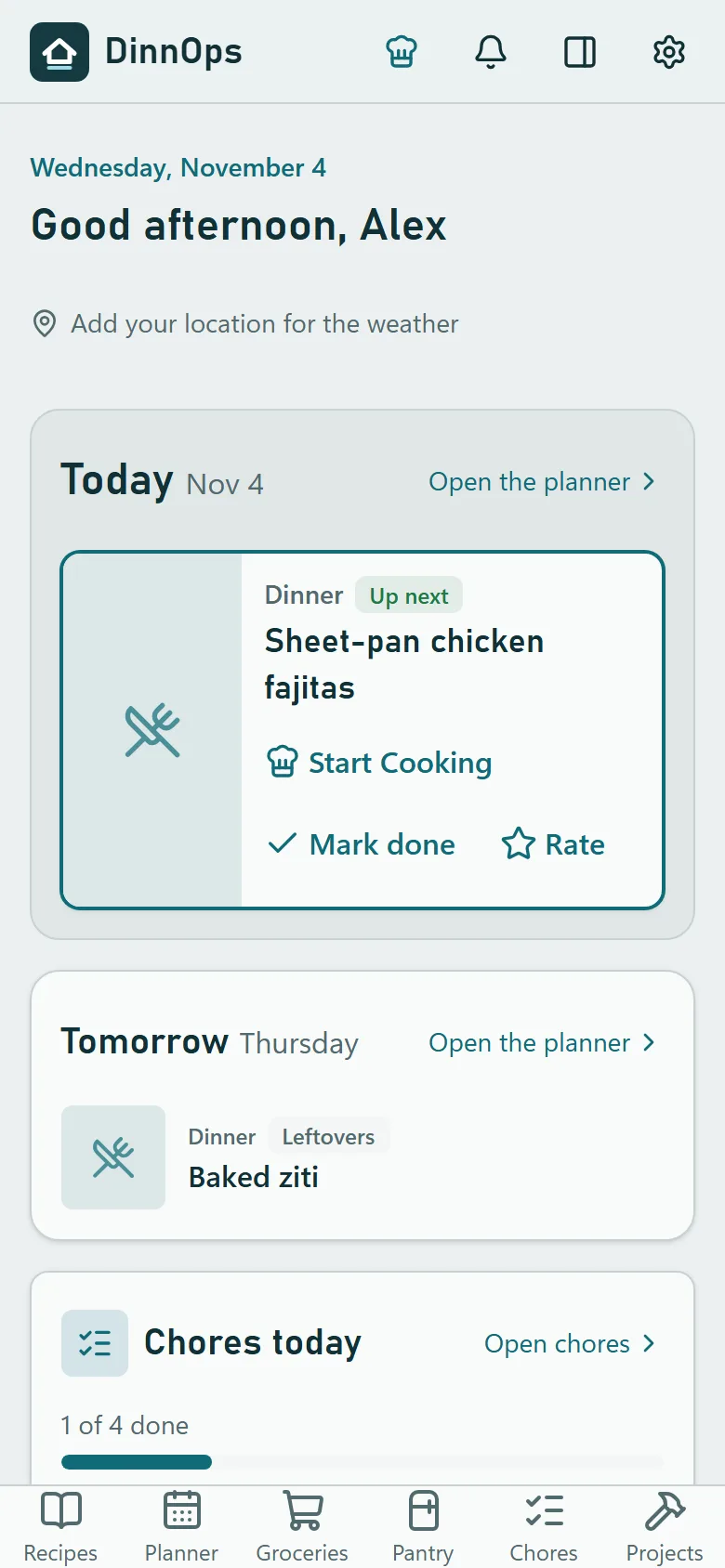
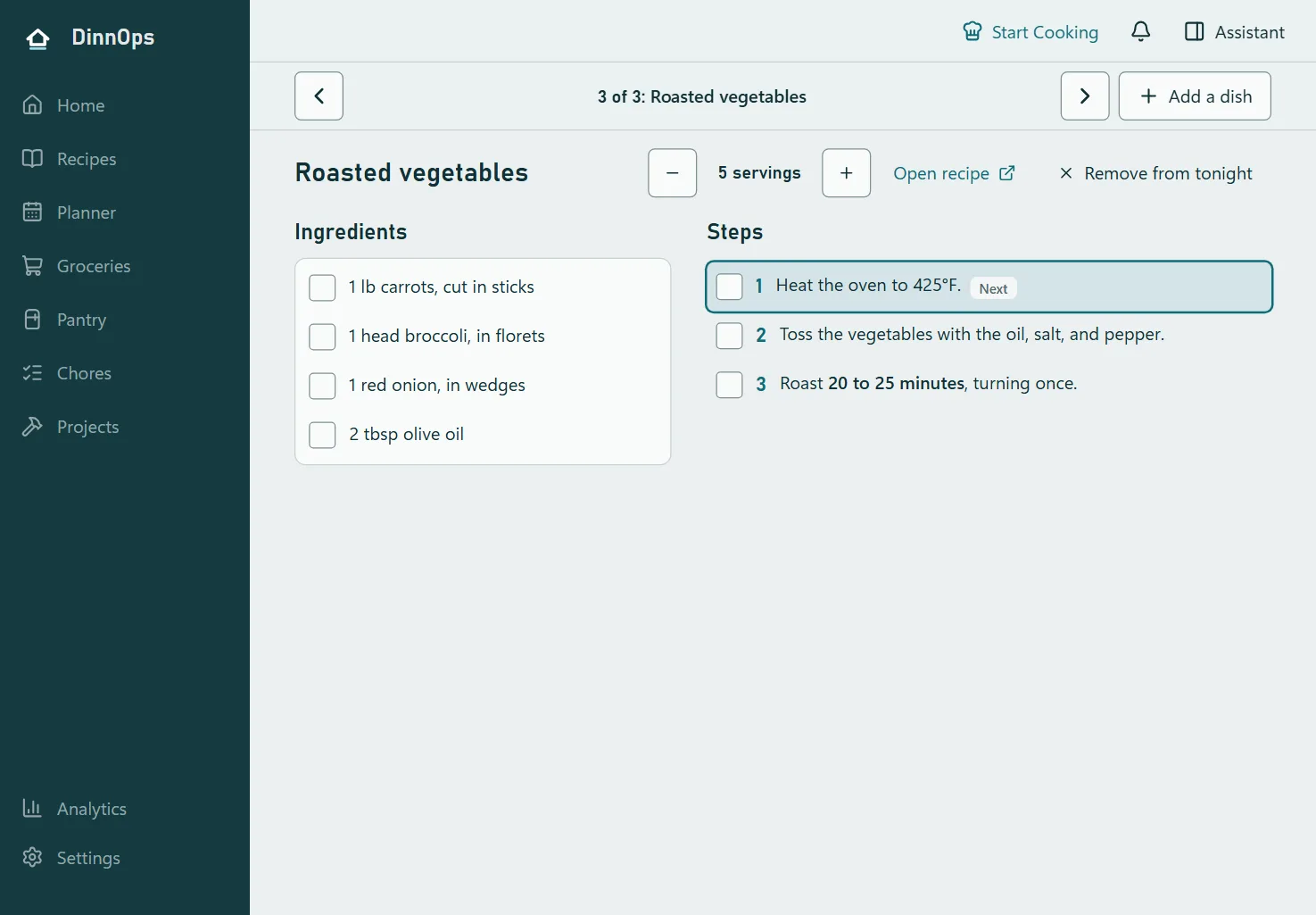
Tonight's dinner, one tap away
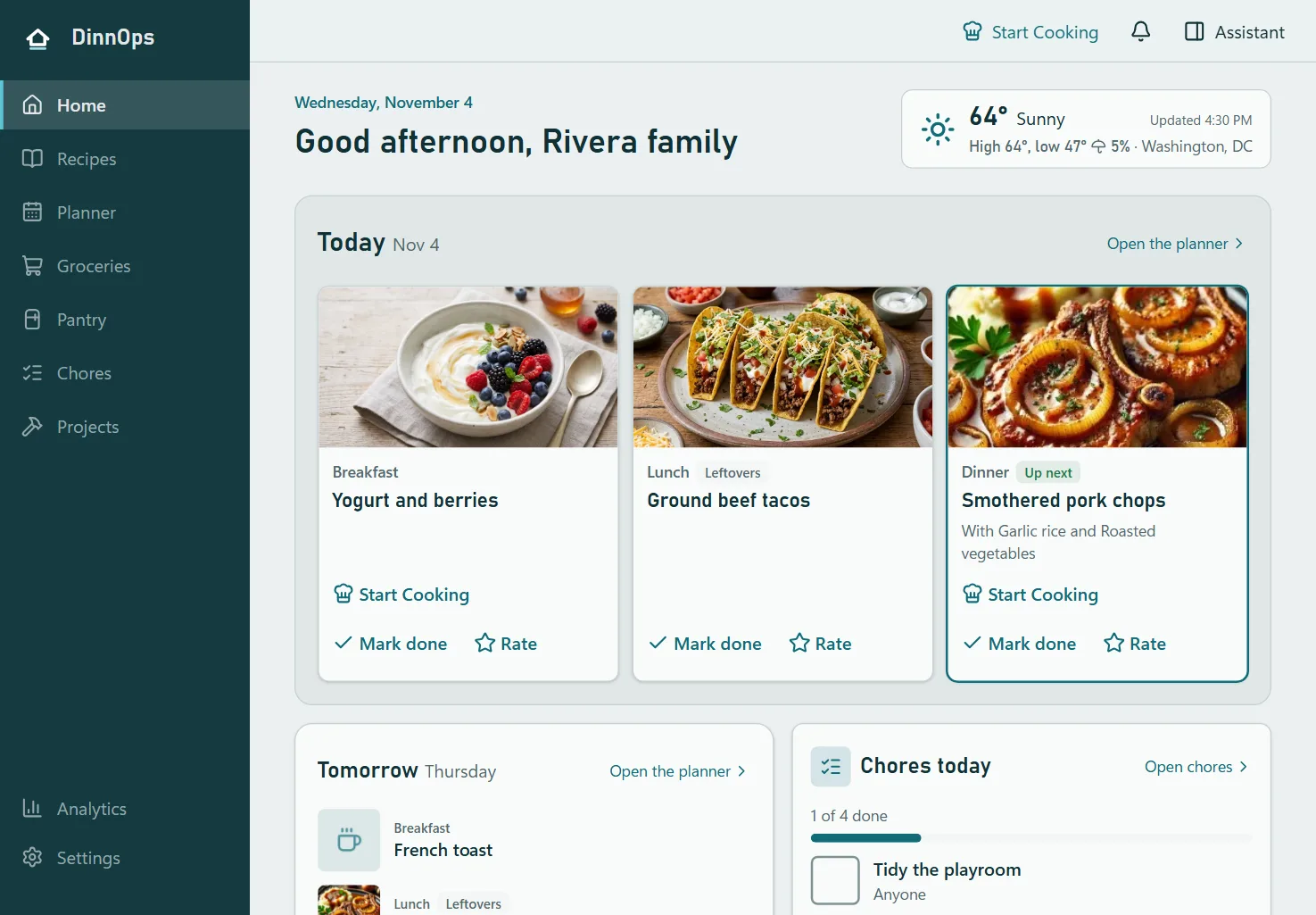
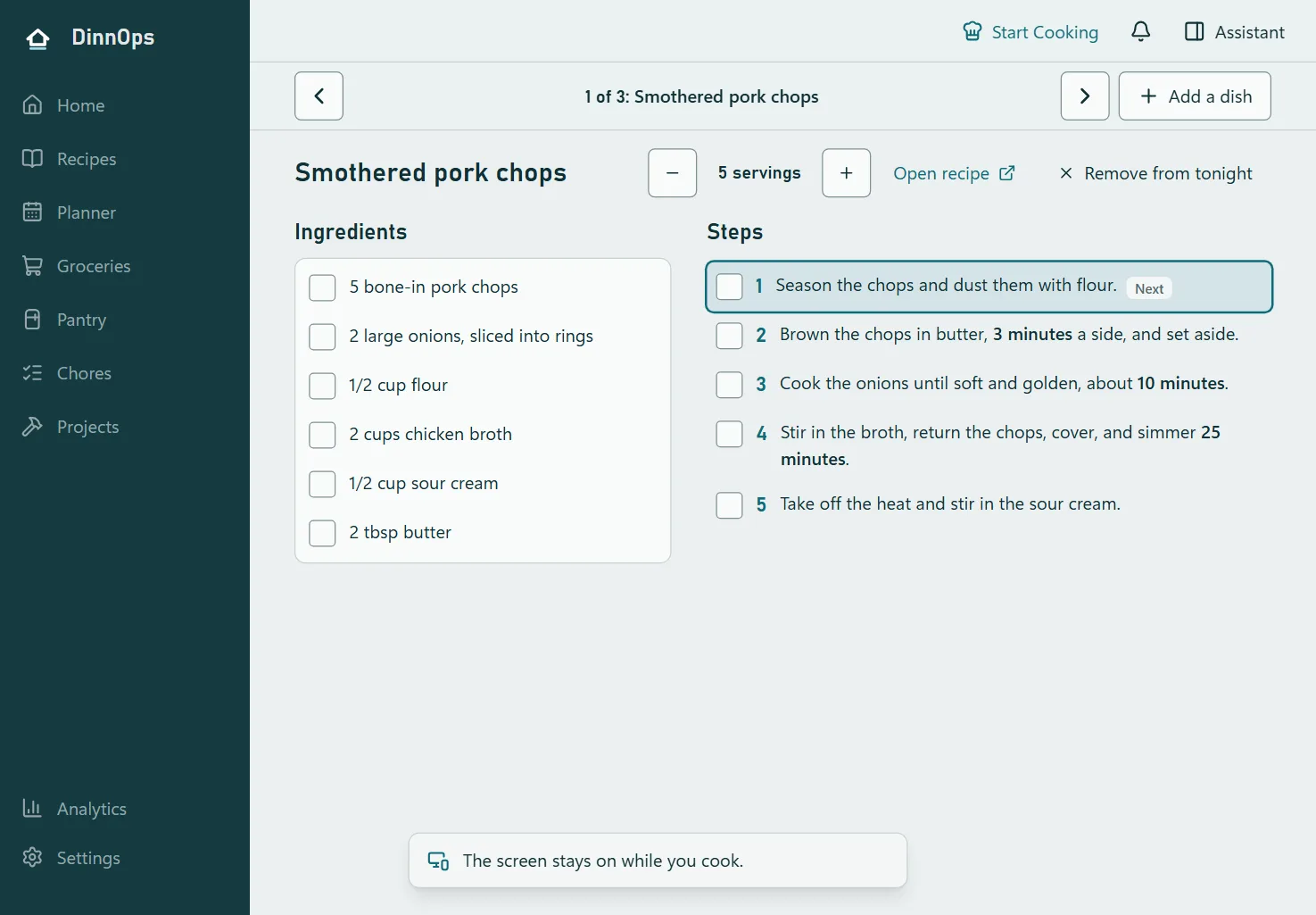
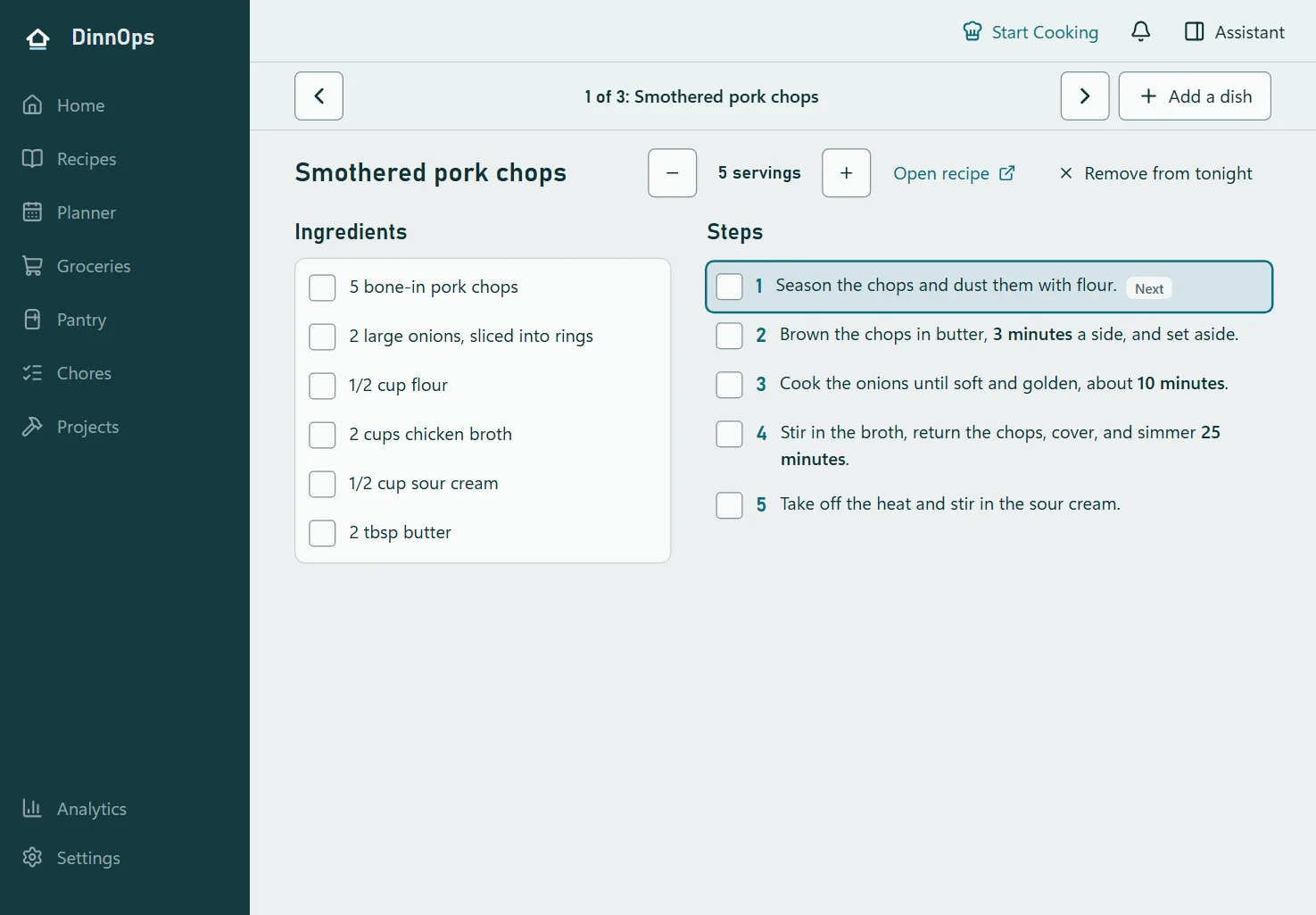
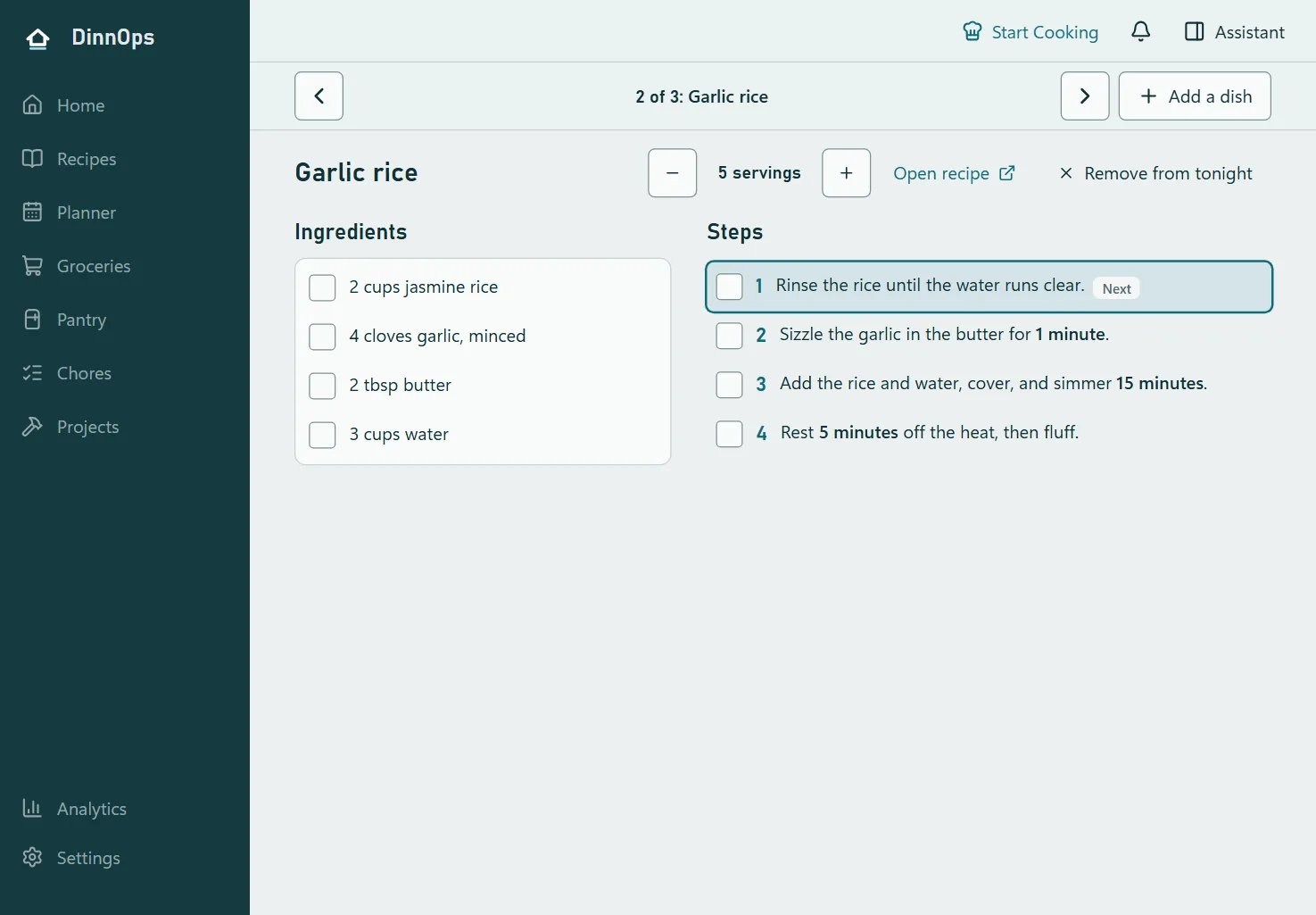
On the kitchen tablet, Home opens on tonight's dinner. Start Cooking brings up every dish at once, the main and both sides, so you move between them without going back to find the next recipe.
- Home shows tonight's dinner
- Start Cooking opens all three dishes
- The screen stays on while you cook
- Tap or swipe to the next dish, no backing out
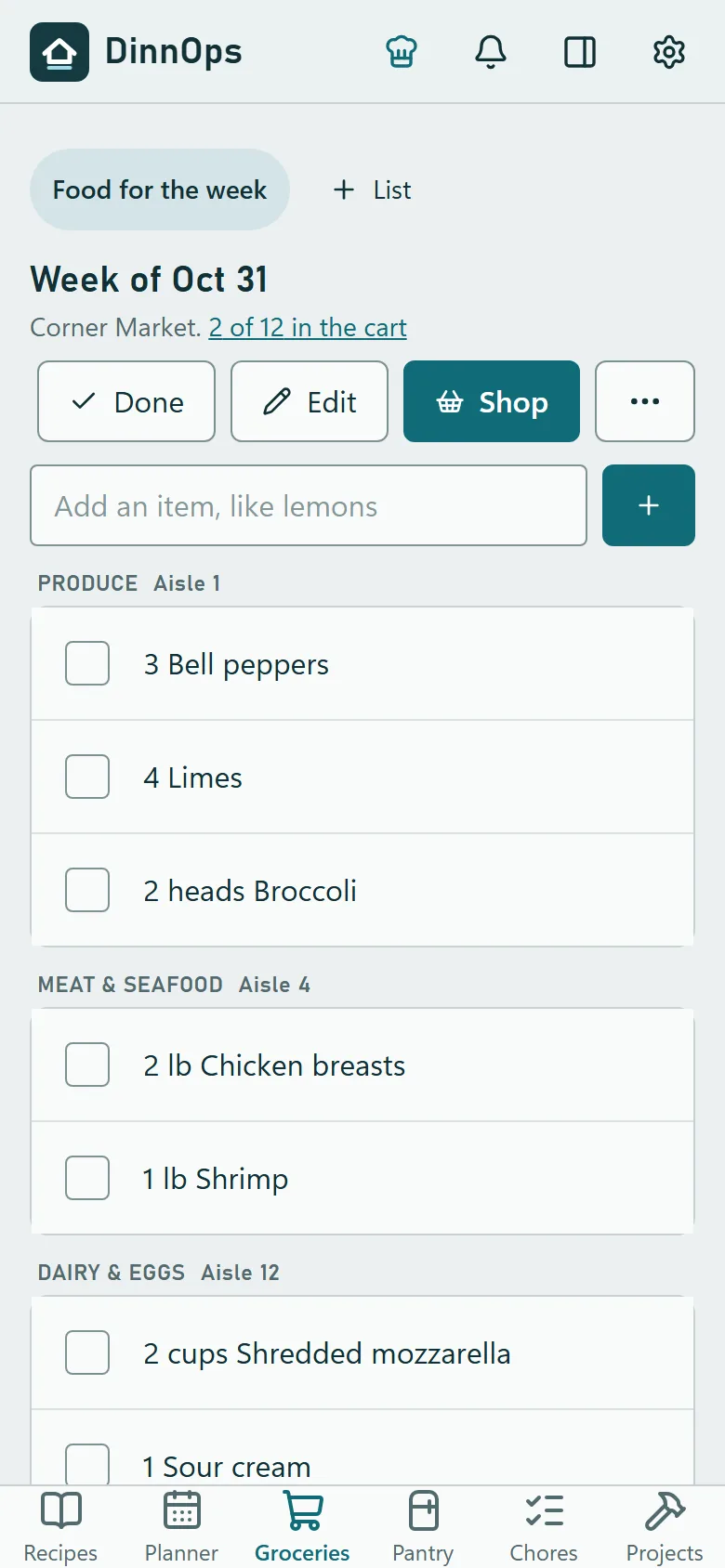
The grocery list builds itself
Approve the week and the list is ready. Ingredients are merged across recipes, anything already in the pantry is left off, and the rest is sorted by store aisle.
- Check things off on any phone and everyone sees it
- Works in the store even with no signal
- Keep the pantry marked on hand, low, or out, or scan a barcode
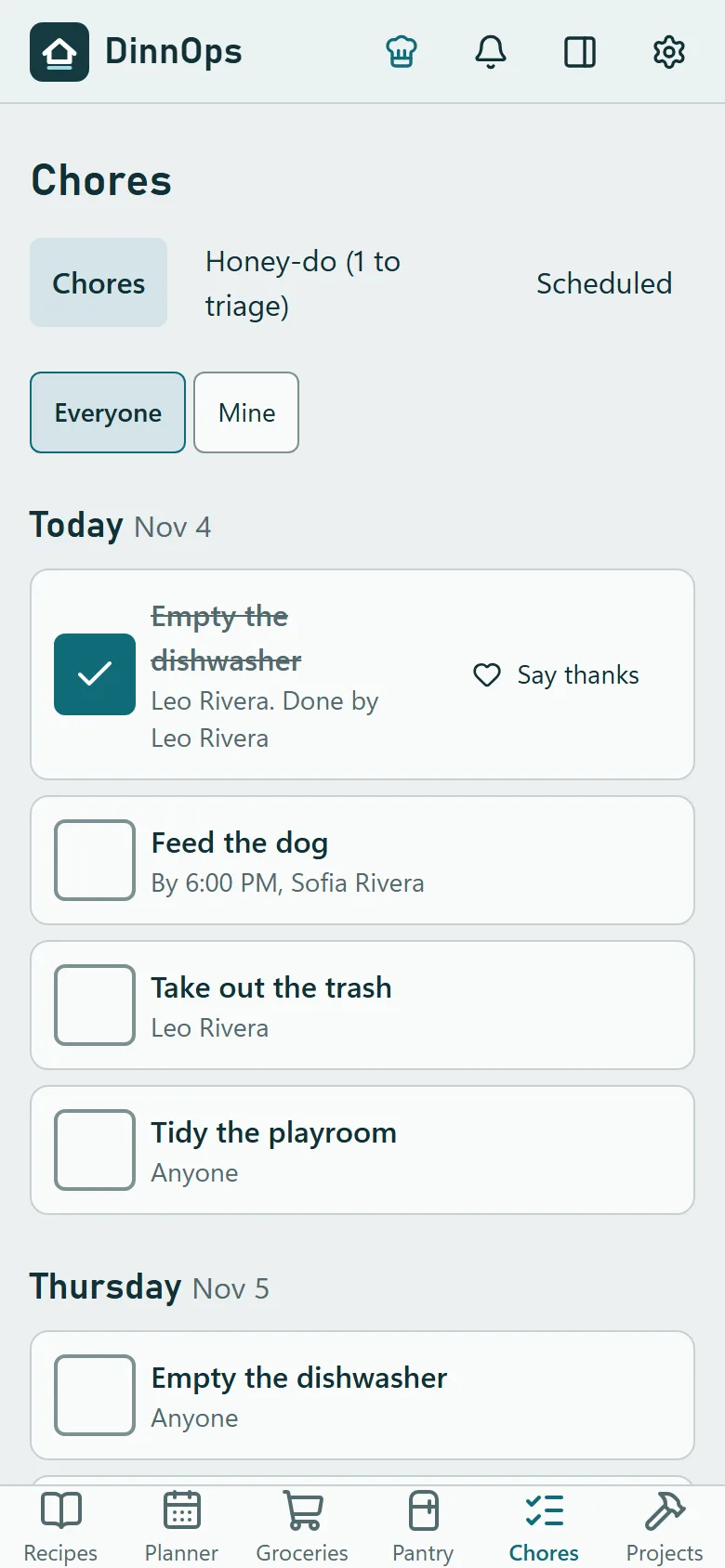
Chores and the honey-do list, handled
Recurring chores can rotate between the kids, with a due-by time and a reminder. Anyone can add a job to the honey-do list in one line, then give it to someone and say thanks when it's done.
- Type "fix the gate latch Saturday, Dad" and it fills in the job for you to confirm
- Upkeep like the air filter shows up on its own when it's due
- An alert on your phone when a job is yours
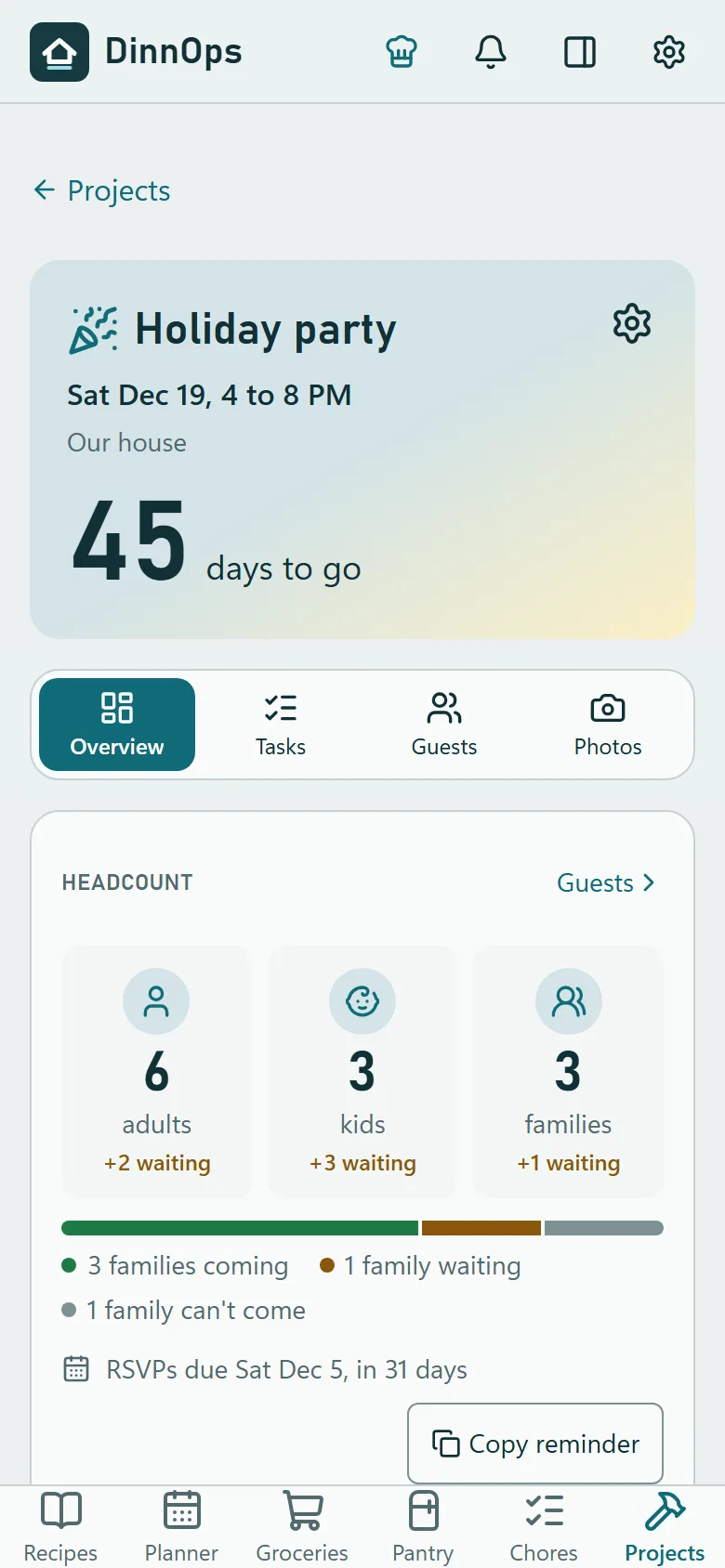
House projects, parties, and trips
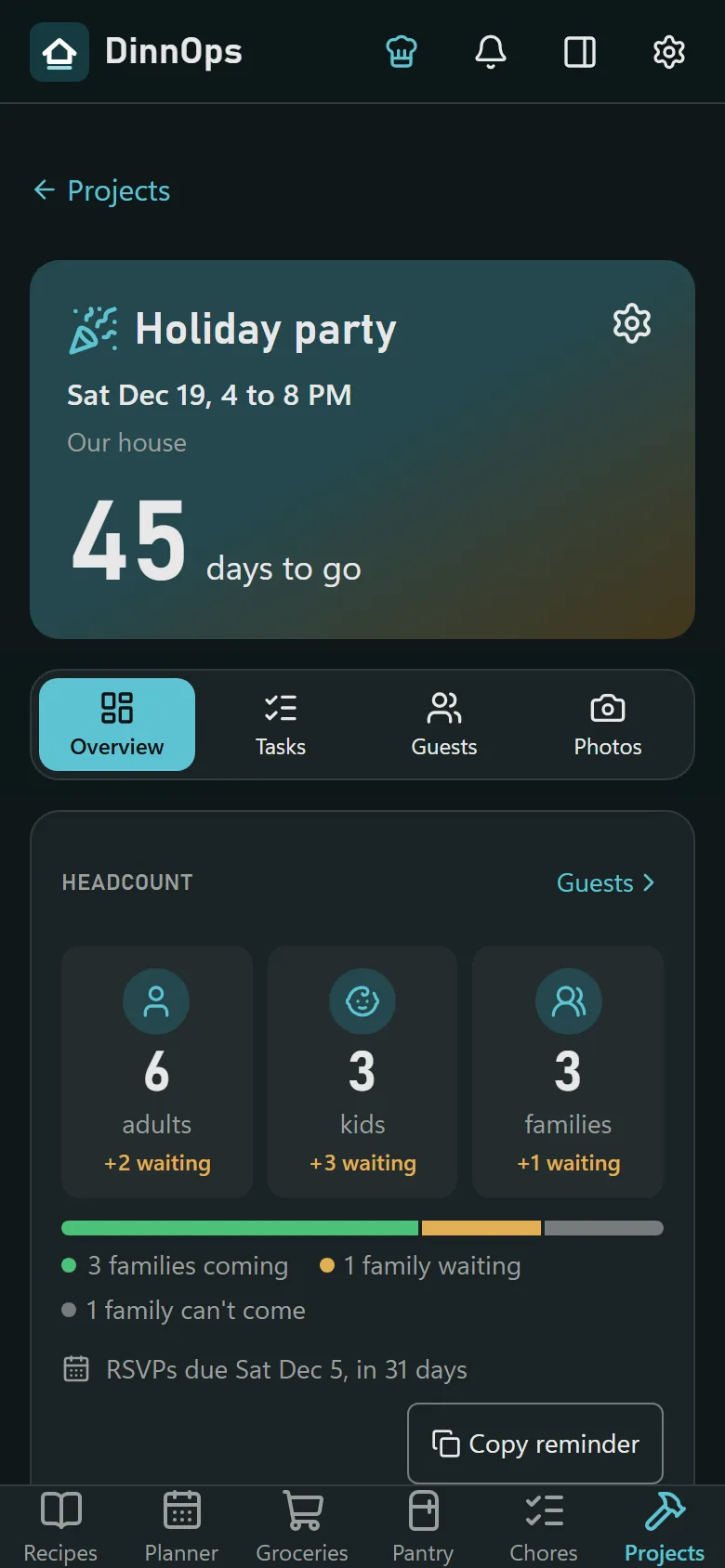
Plan a bathroom redo, a holiday party, or a trip with tasks, a timeline, a budget, and a shopping or packing list. The Assistant drafts the steps back from the date.
- Events keep the guest list, RSVPs, and headcount in one place
- Keep a surprise private from the people it's for
On every phone and computer in the house
One person signs up and everyone else joins from an invite link. Use it on iPhone and iPad, Android phones and tablets, Windows PCs, and MacBooks, in the browser or added to the home screen like any other app.
- Light or dark, it follows your phone's setting
- A shared kitchen tablet asks who's tapping
- Nothing to download from an app store; everything stays in sync
Add it to your home screen
Open app.dinnops.com once on each device and add it. It opens from its own icon.
-
iPhone and iPad
- Open it in Safari
- Tap Share
- Tap Add to Home Screen
Alerts on iPhone need iOS 16.4 or later.
-
Android
- Open it in Chrome
- Tap the menu
- Tap Install app
-
Windows and Mac
- Open it in Chrome or Edge
- Click Install in the address bar
Safari on a Mac: File, then Add to Dock.
Try it with your family
Type your email and we'll send your family a sign-up code right away. The trial includes everything, the sous chef too, for 14 days. Only the first person in your family needs the code; everyone else joins from an invite you send in the app.
After 14 days, everything you added stays yours.